The Best Brain Games and Apps for Seniors
Good brain games for older adults are easy to read, don’t rush you, and don’t promise to prevent dementia. Here are six apps that fit, free ways to play, and an honest look at the research.
Updated 2026-10-07. Ratings and prices from the US App Store and Google Play.
What makes a brain game good for older adults?
Most “best brain games for seniors” lists are the same apps as every other list. That misses what matters when you’re 65 or 80, or picking an app for a parent. Here’s what we looked for:
- Readable and easy to tap. Clear text, high contrast, big buttons. A tablet helps a lot with any of these apps.
- No punishing timers. Some games are a race against a shrinking clock. That can feel more stressful than fun. Look for games where you set the pace, or where time only affects your score.
- Honest pricing. A free version that stays free, or a plain yearly price. Avoid weekly subscriptions that renew quietly.
- Short sessions. Five to fifteen minutes a day is easier to keep up than long workouts.
- No scary promises. Be wary of any app or ad that says it will prevent dementia or Alzheimer’s. No game has been shown to do that, and Lumosity paid $2 million to settle FTC charges in 2016 partly over claims like that.
If memory is worrying you
Brain games aren’t a test for memory problems, and a low score doesn’t mean anything is wrong. Bad sleep, stress, medications and simply being new to a game all affect scores. If you or a family member have noticed real changes in memory or thinking, talk to a doctor. That conversation is worth more than any app.
What the research says for older adults
The best-known study is ACTIVE, which started in 1998 with about 2,800 adults aged 65 and over. Groups trained memory, reasoning or processing speed for a few weeks, some with later booster sessions. In February 2026, researchers reported a 20-year follow-up using Medicare records. People who did the speed training with boosters were about 25% less likely to be diagnosed with dementia than the control group. The memory and reasoning groups showed no significant difference (UF Health).
That’s encouraging, but it’s narrower than headlines make it sound. It was one specific task, done in supervised sessions, and it links training to fewer diagnoses in claims data. It doesn’t show that brain games in general protect the brain. Many scientists stress something broader. A 2014 consensus statement from the Stanford Center on Longevity put the best evidence on “healthy, engaged lifestyles.” In practice: moving, sleeping well, staying social and learning new things. Think of a brain game as one enjoyable piece of that, not the whole plan. More on the evidence in do brain training apps work?
Disclosure
We make Memo, which is on this list. Ratings and prices come from the US App Store, October 2026.
The best brain training apps for seniors
| App | Good for | Free option | Price (App Store, US, Oct 2026) |
|---|---|---|---|
| BrainHQ | Research-minded users | One free exercise a day | $13.99/mo or $94.99/yr |
| Elevate | Reading and everyday math | Basic free version | $9.99/mo or $39.99/yr |
| Memo | A short, gentle daily routine | Free browser versions; breathing free | $4.99/mo or $29.99/yr, 7-day trial |
| Lumosity | Classic memory and attention games | Limited daily games | Premium options $11.99–$89.00 |
| Mind Games | Lots of free, simple games | Many games free | Pro app $4.99 one-off |
| Peak | Variety | Basic free version | Pro plans $2.99–$34.99 |
1. BrainHQ: built on research with older adults
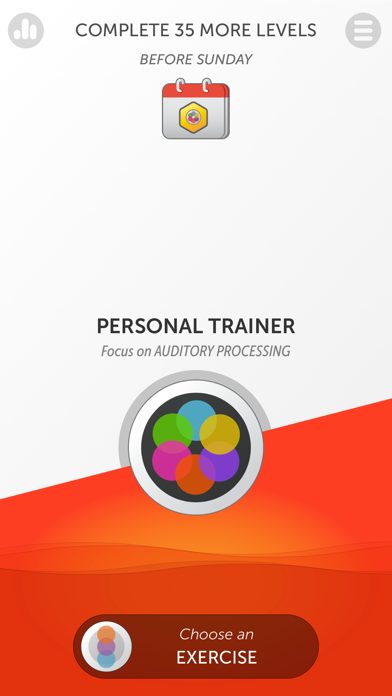
If the research matters to you, start here. BrainHQ, from Posit Science, is the program most connected to the ACTIVE study, and the exercises get easier or harder depending on how you do. It isn’t flashy. On iPhone and iPad it’s rated 4.6 from about 22,000 reviews. On Android it’s rated much lower, so Android users should try the free daily exercise before paying.
Good
- Speed training from the ACTIVE study line of research
- Exercises adapt to your level
- One free exercise every day
Not so good
- Looks plain and clinical
- Android app is poorly rated (2.9)
- $94.99 a year
2. Elevate: reading, words and everyday numbers
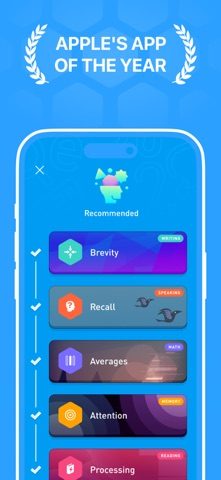
Elevate suits people who enjoy crosswords and word puzzles more than abstract shapes. Games cover vocabulary, reading comprehension and the math of daily life, like tips and discounts. It’s rated 4.8 from about 544,000 reviews, with a free basic version (close the paywall after sign-up) and paid plans at $9.99 a month or $39.99 a year.
Good
- Practical skills: reading, vocabulary, mental math
- Basic free version
- Very polished
Not so good
- Fewer pure memory games
- Full program is a subscription
3. Memo: a five-minute routine, with free calm-down tools
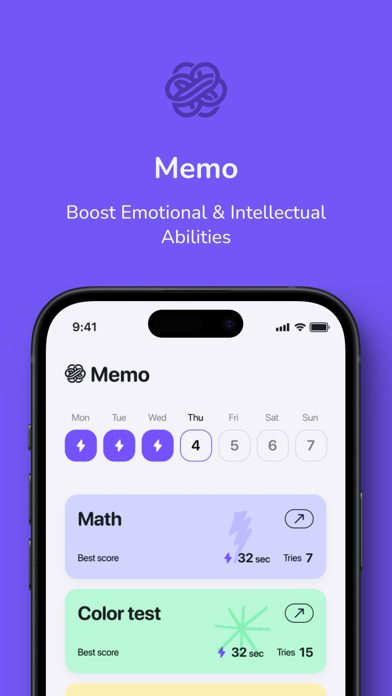
Memo is our app: eight short games, about five minutes for the lot. Several suit a relaxed pace. In the Chimp Test, nothing happens until you tap the first number. The word recall test gives you up to a minute to study 16 words. The free box breathing and 4-7-8 breathing exercises are a nice way to finish. Two games are less gentle. Math and the Stroop test are scored on speed, and the matching game only shows the cards briefly. Memo is in 8 languages, and you can try every game in a browser on a big screen before installing anything. Breathing and Do Nothing are free. Premium unlocks the other six games for $4.99 a month or $29.99 a year, after a 7-day free trial.
Good
- Chimp Test and word recall let you memorize at your own pace
- Box breathing and Do Nothing are free in the app
- Every game is free to try in a web browser
- Marked as supporting Family Sharing on the App Store
Not so good
- Brand new: only 3 App Store ratings
- Math and Brain Speed are scored on time
- Mind Flip shows the cards for just 2.5 seconds
4. Lumosity: the familiar name
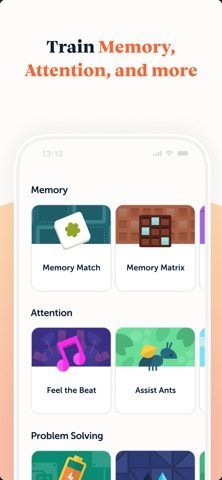
Lumosity is the brand most people have heard of, and its games are well designed. Some are quick speed games, which some older players love and others find stressful. Try the free daily games before subscribing. Premium options are listed from $11.99 to $89.00.
Good
- 40+ games
- Free 10-minute Fit Test compares you with your age group
- Very polished
Not so good
- Free tier is small
- Includes speed games that can feel rushed
5. Mind Games: plenty free, no subscription
Mind Games, by Mindware Consulting, is a long-running collection of simple games based on cognitive tasks. Many are free, and the Pro version is a single $4.99 purchase, which makes it a good fit for anyone who doesn’t want a subscription. It has 10M+ downloads on Android, where it’s still updated.
Good
- Many games free to play
- Pro is a one-off $4.99 app
- Score history for each game
Not so good
- Dated look
- iPhone version not updated since May 2024
6. Peak: lots of variety
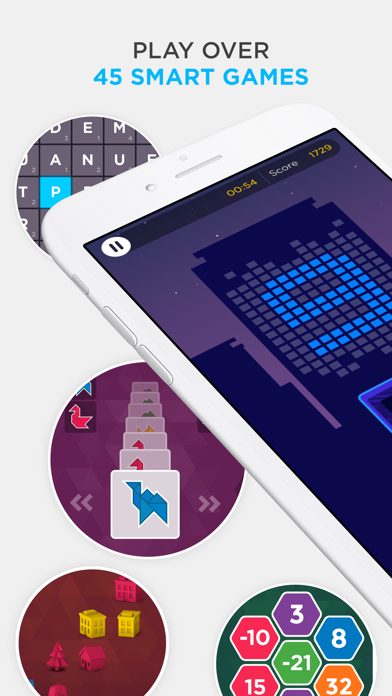
Peak has the widest choice after Lumosity, with a free basic version and Pro plans listed from $2.99 to $34.99. Like Memo, it’s marked on the App Store as supporting Family Sharing.
Good
- 45+ games
- Under-five-minute workouts
- Free basic version
Not so good
- Many different prices and offers
- Ownership has changed several times
Free brain games for seniors, without an app
- Play in the browser. Memo’s games all have free web versions, starting with the brain games page. They work well on a tablet or laptop, with no account needed.
- Classic puzzles. Crosswords, sudoku, jigsaws and card games are free or cheap and perfectly good mental exercise.
- Learn something new. A language, an instrument, a dance class. New skills stretch the brain in ways no app can, and many come with company.
- Play with someone. Board games and cards with family add the social side, which is good for you in its own right.
Tips for setting up an app for a parent
- Install it on a tablet if possible, and turn up the system text size in Settings.
- Start with the free version together, and see whether they enjoy it after a week.
- If you pay, choose a yearly or one-off plan, never weekly. Note the renewal date.
- On iPhone, check whether the app supports Family Sharing so one subscription covers both of you.
- Celebrate their own progress, not leaderboard rank.
Questions people ask
What is the best brain training app for seniors?
If research matters most, BrainHQ, which grew out of the ACTIVE study of adults 65 and over. For word lovers, Elevate. For a short, gentle routine you can try free in the browser, Memo. For lots of free games without a subscription, Mind Games.
Can brain games prevent dementia?
No game has been shown to prevent dementia. A 20-year follow-up of the ACTIVE trial linked one specific speed-training task (with booster sessions) to about 25% fewer dementia diagnoses, but memory and reasoning training showed no such effect, and it isn’t evidence for brain games in general.
Are there free brain games for seniors?
Yes. Elevate and Peak have free basic versions, BrainHQ gives one free exercise a day, Mind Games has many free games, and Memo’s games can be played free in a web browser. Crosswords, sudoku and card games are free brain workouts too.
How long should seniors play brain games each day?
Five to fifteen minutes is plenty. Regular short sessions are easier to keep up and more enjoyable than long ones. Pair them with walking, good sleep and time with other people.
Is a low score on a brain game a sign of dementia?
No. Scores depend on practice, sleep, mood and familiarity with the game. Brain games aren’t diagnostic tests. If you’re worried about memory changes, speak to a doctor.
Keep reading
- The Best Brain Training Apps in 2026, Honestly Compared
- Memory Games for Adults: 8 Types, and Where to Play Them
- Do Brain Training Apps Actually Work? What the Evidence Says
- Chimp TestRemember where the numbers were, then tap them in order.
- Box breathingInhale 4, hold 4, exhale 4, hold 4 — with a guided pacer.
- Word recall testStudy 16 words for a minute, then type back all you remember.